
Capacitor Reference - PowerBook 150
The PowerBook 150 has no electrolytic capacitors on the logic board. This means that the only caps you will have to replace will be those on the Display, the trackball, and the display inverter board. Failing inverter board caps can introduce inconsistent backlight/contrast behavior even after the LCD itself has been recapped.
The LCD capacitors are frequently replaced with ceramic capacitors. These may work, but have been shown to result in drifting contrast on certain LCD displays. This is caused by ceramic capacitors' characteristic where the capacitance varies based on voltage load. As such, I would recommend replacing them with tantalum caps instead.
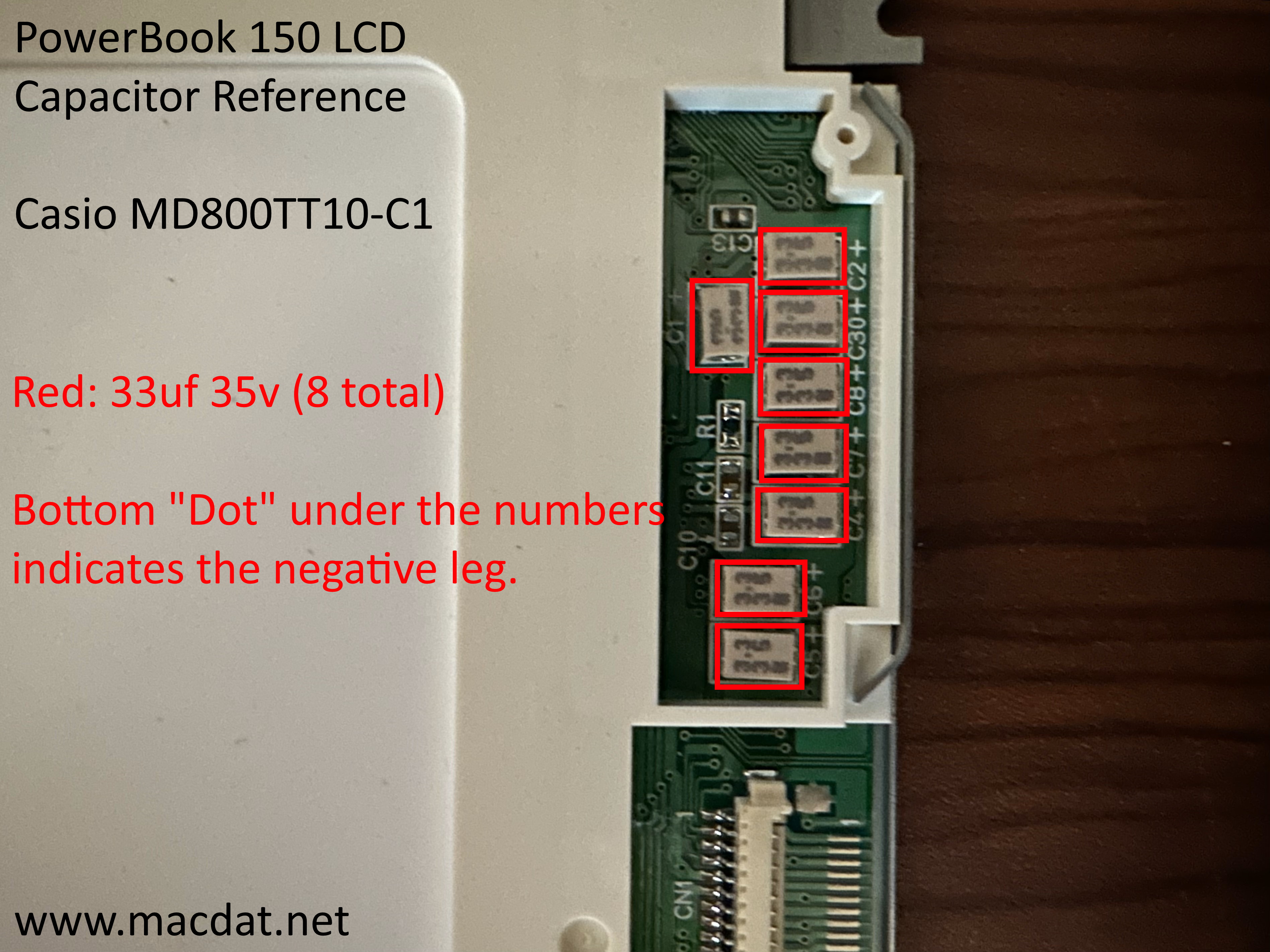
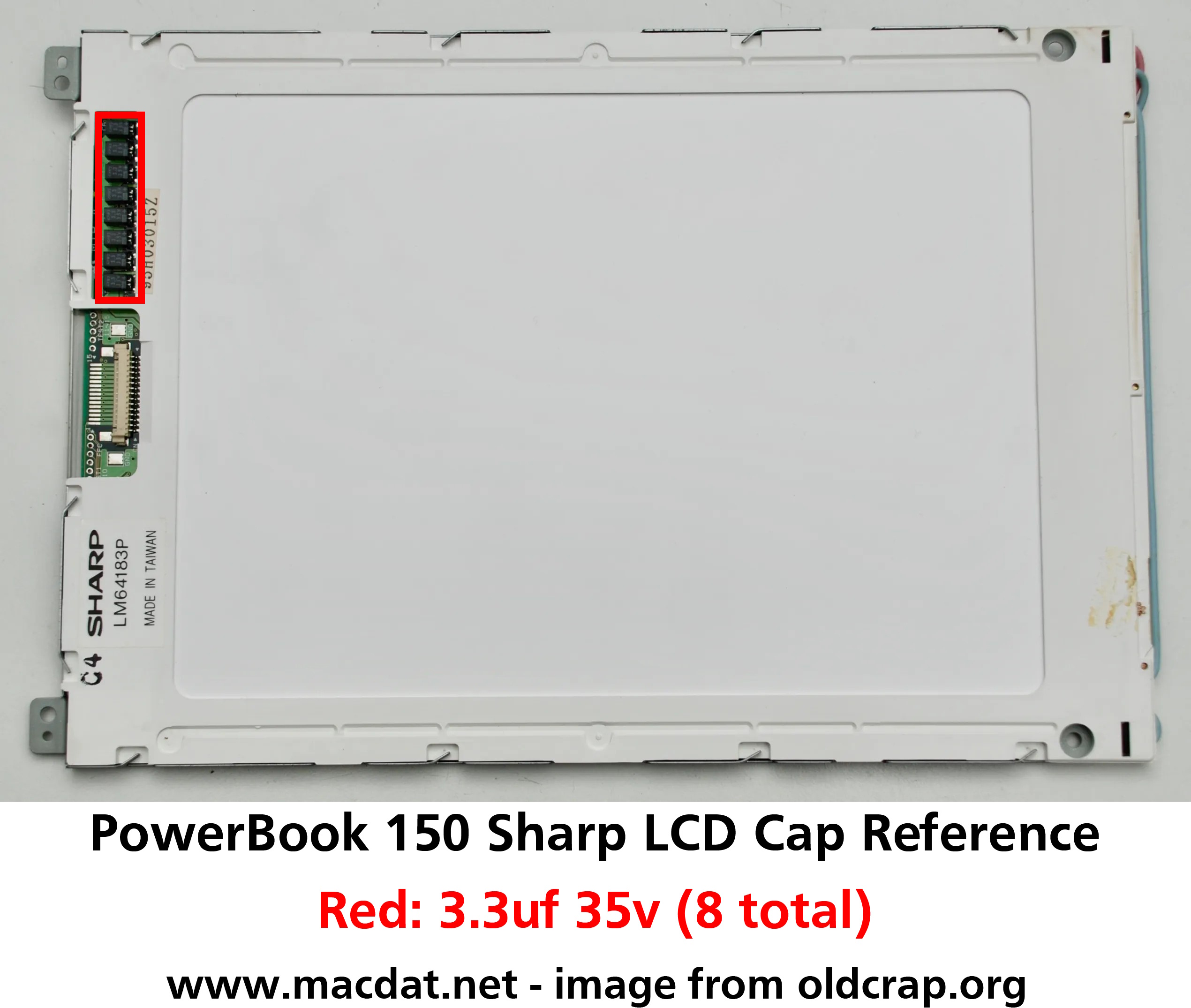
LCD
PowerBook 150 LCDs were sourced from two vendors - Sharp and Casio. Despite this, both use the same capacitors.
| Value | Count | Type |
|---|---|---|
| 3.3uf 35v | 8 | Low Profile Surface-Mount Electrolytic |
Reference Images
Click images below to view the full-resolution versions.
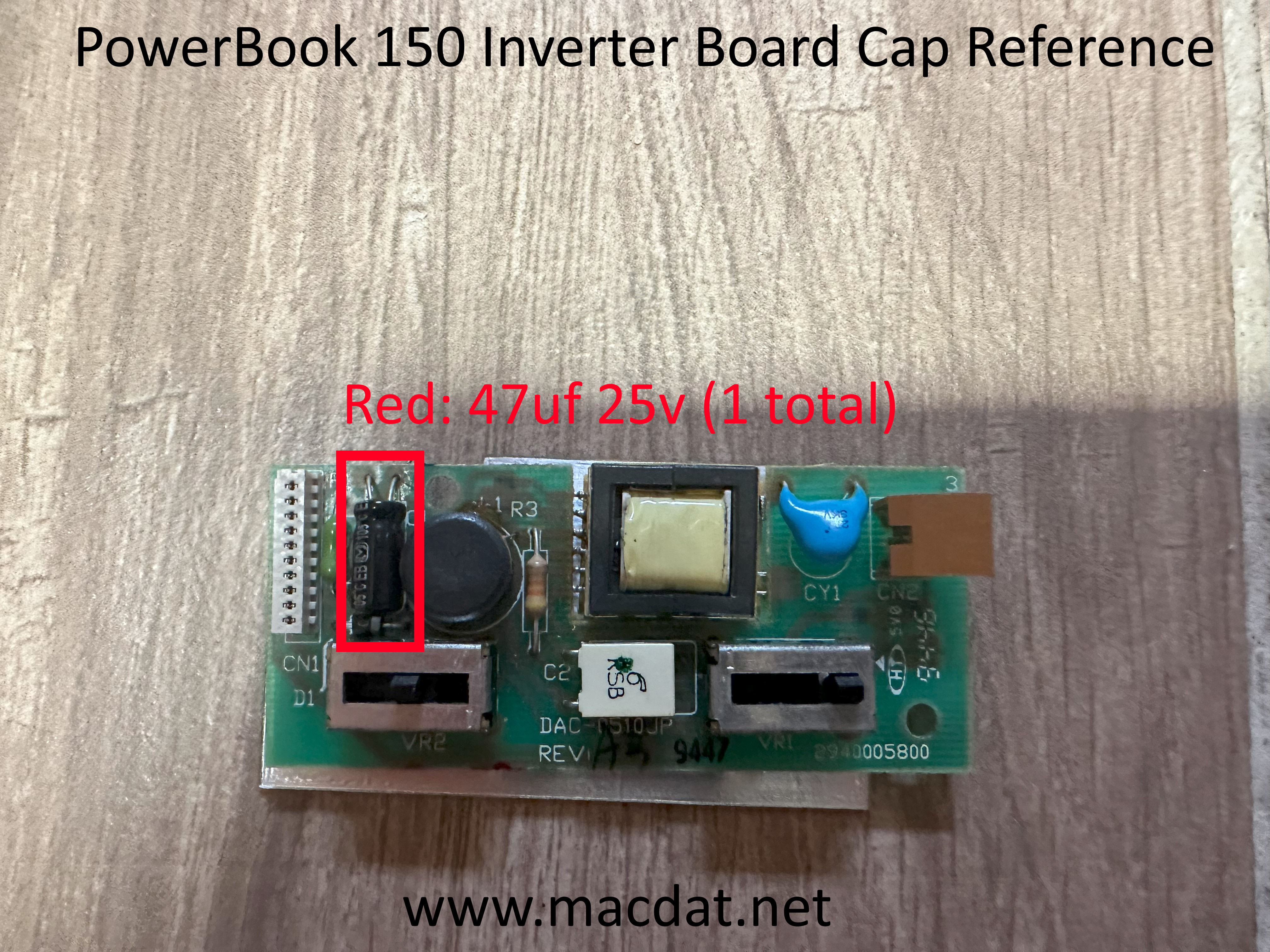
Backlight Inverter Board
| Value | Count | Type |
|---|---|---|
| 47uf 25v | 1 | Radial Electrolytic |
Reference Image
Click image below to view the full-resolution version.
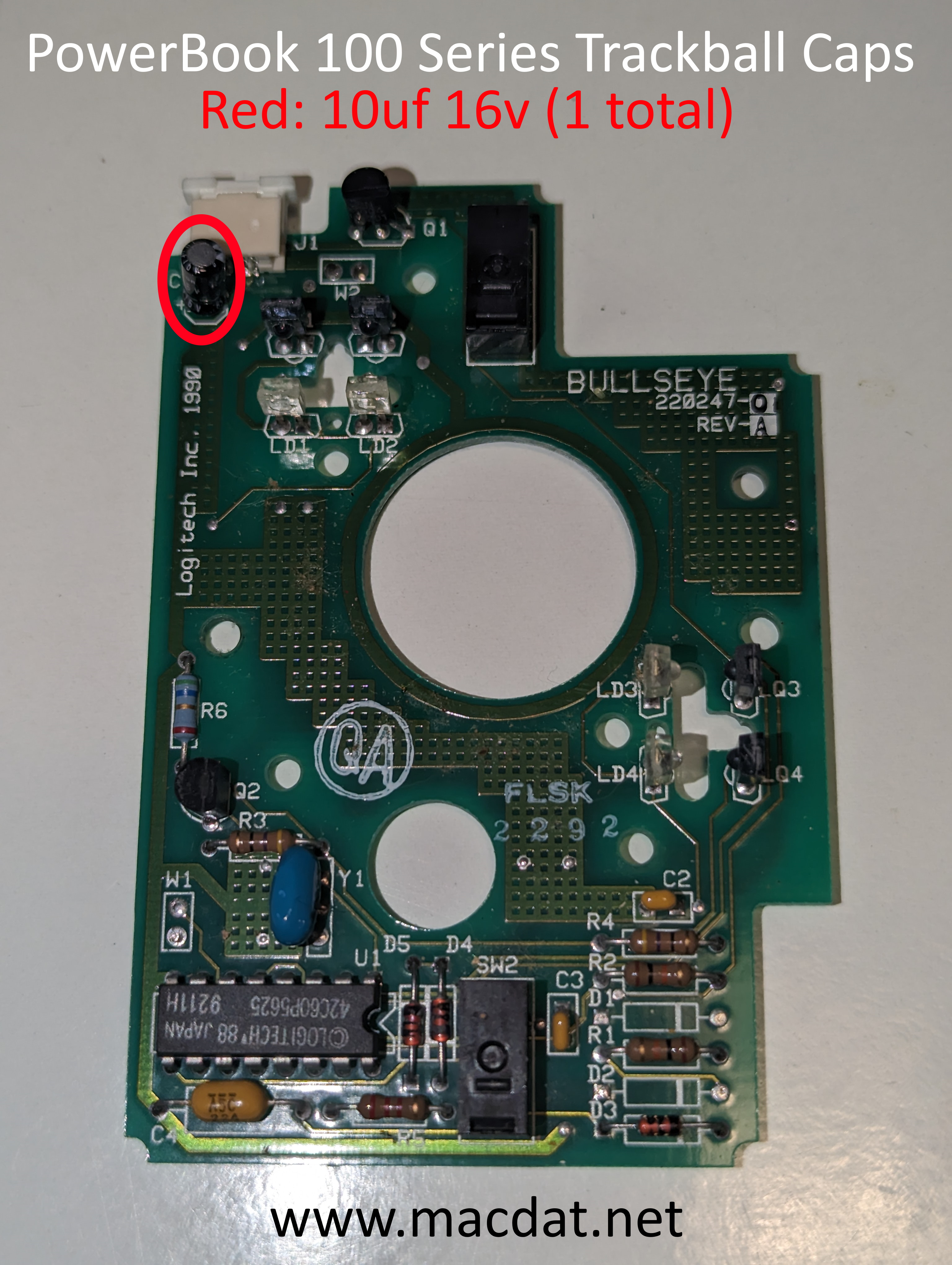
Trackball
| Value | Count | Type |
|---|---|---|
| 10uf 16v | 1 | Radial Electrolytic |
Reference Image
Click image below to view the full-resolution version.