

Capacitor Reference - PowerBook 145/145B
The PowerBook 145 has no electrolytic capacitors on the logic board. This means that the only caps you will have to replace will be those on the display, and the display inverter board. There is also a cap on the trackball, but it rarely fails.
LCD
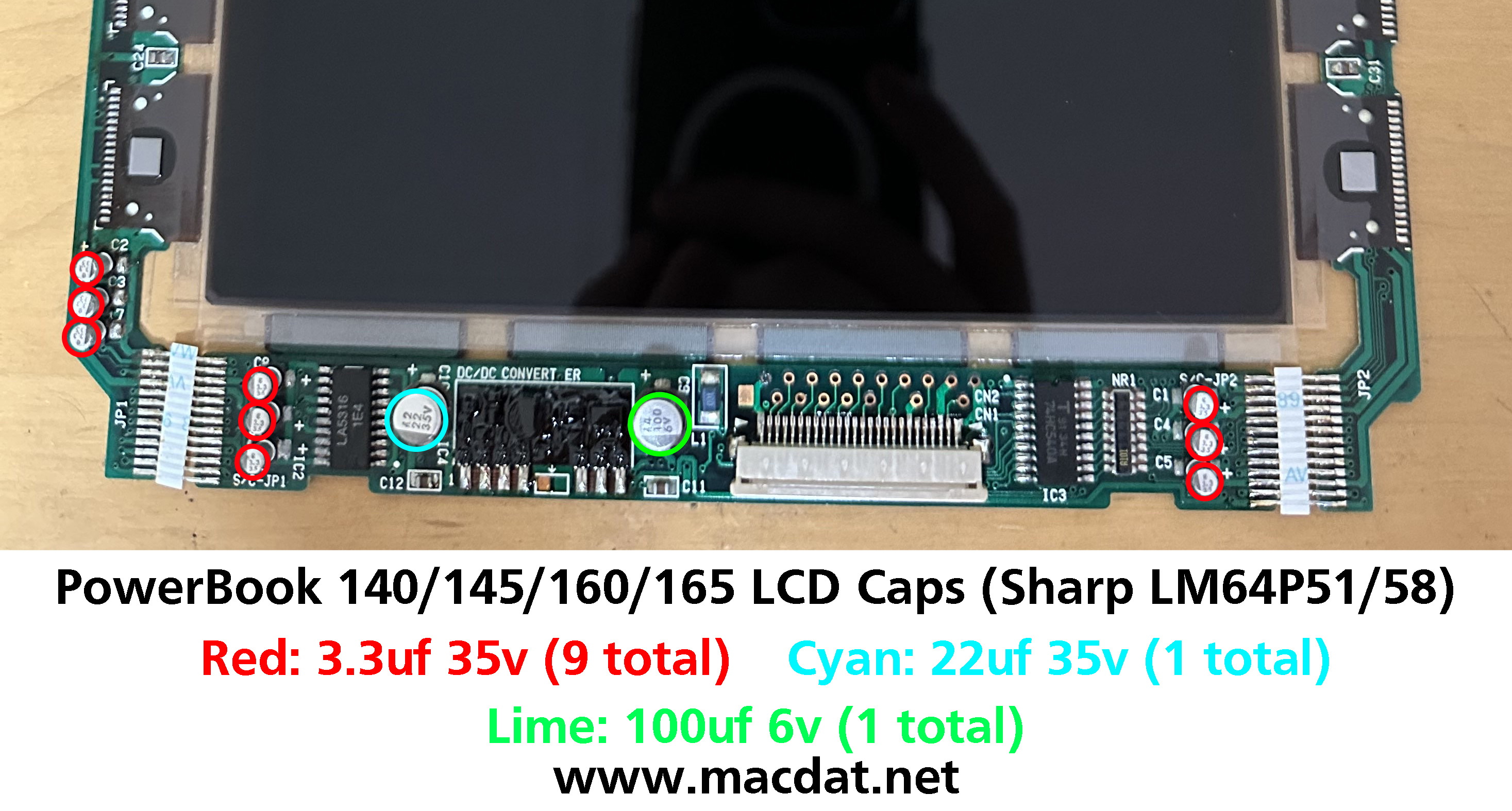
Many people end up replacing the display caps with ceramic capacitors. These may work, but have been shown to result in drifting contrast on certain LCD displays. This is caused by ceramic capacitors' characteristic where the capacitance varies based on voltage load. As such, I would recommend replacing them with tantalum caps instead.
| Value | Count | Type |
|---|---|---|
| 100uf 6v | 1 | Surface-Mount Electrolytic |
| 22uf 35v | 1 | Surface-Mount Electrolytic |
| 3.3uf 35v | 9 | Surface-Mount Electrolytic |
Reference Image
Click image below to view the full-resolution version.
Backlight Inverter Board
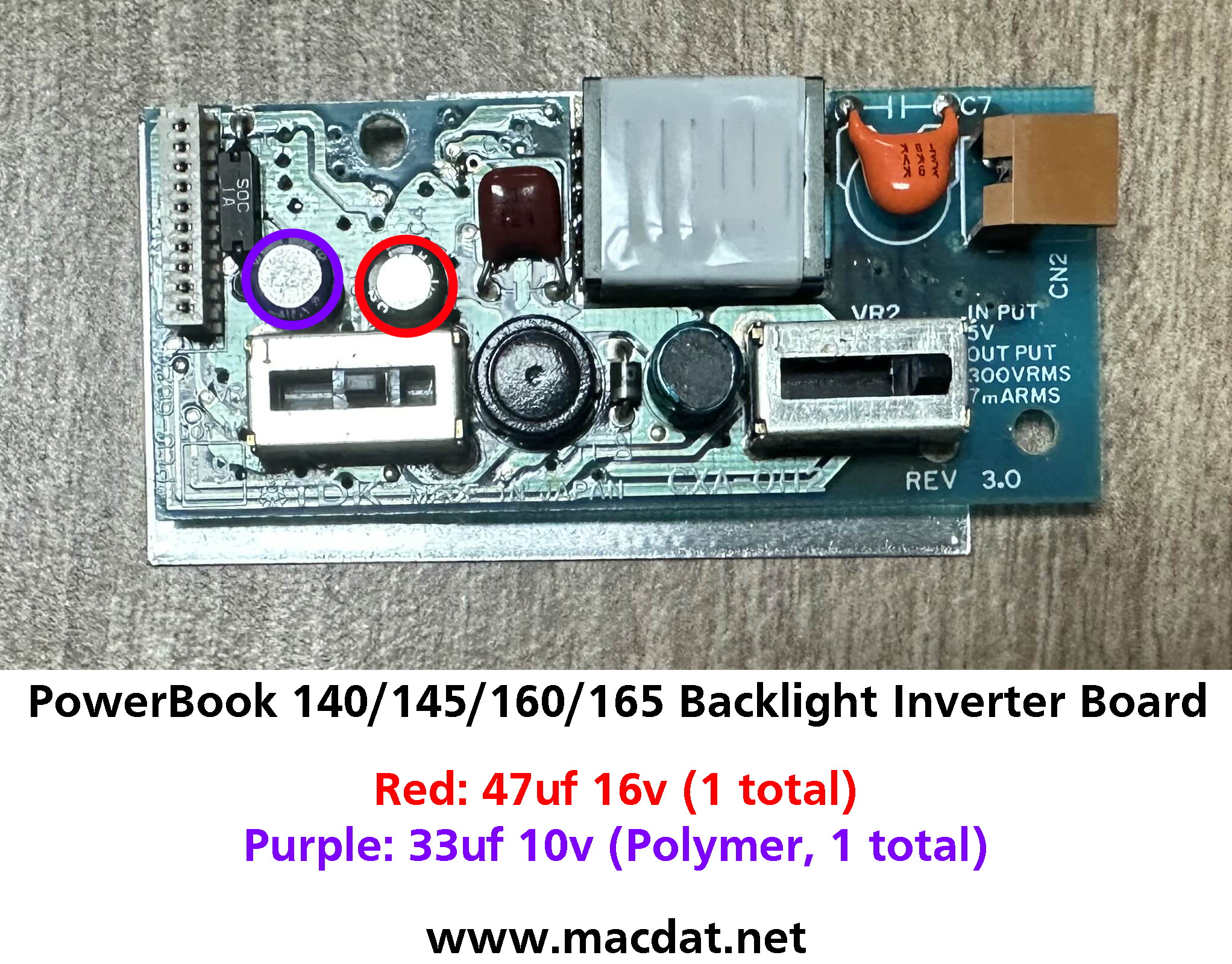
The polymer cap rarely fails and doesn't require replacement.
| Value | Count | Type |
|---|---|---|
| 47uf 16v | 1 | Low Profile Radial Electrolytic |
| 33uf 10v | 1 | Low Profile Radial Polymer |
Reference Image
Click image below to view the full-resolution version.
Trackball
| Value | Count | Type |
|---|---|---|
| 10uf 16v | 1 | Radial Electrolytic |
Reference Image
Click image below to view the full-resolution version.
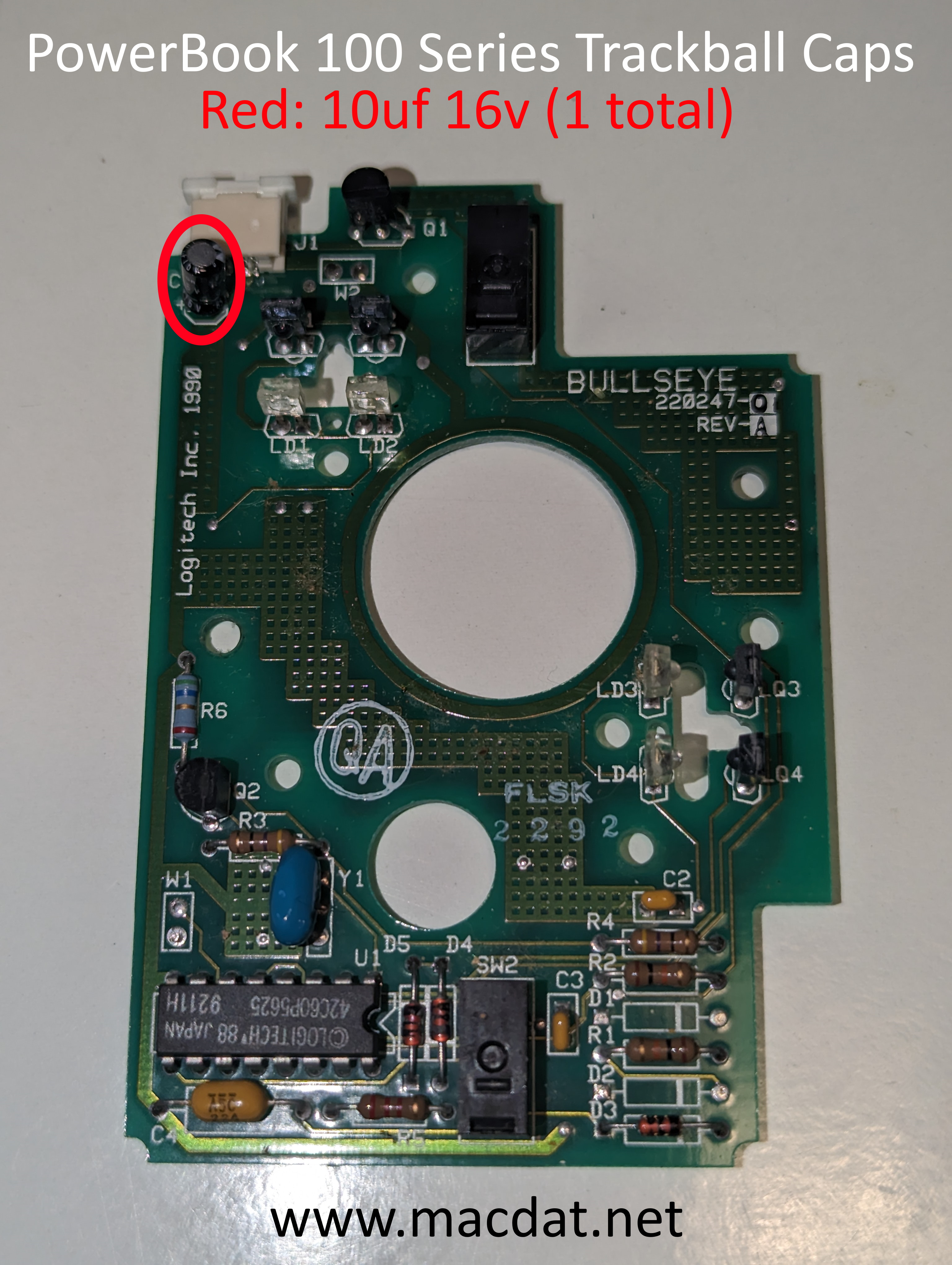
Photo provided by @GRudolf94 on 68kMLA.org