
Capacitor Reference - PowerBook 100
Any PowerBook 100 must be fully recapped.
The PowerBook 100's logic board uses a varnish that becomes sticky when exposed to Isopropyl alcohol. Keep this in mind during cleaning. To avoid this issue, you can get all of the varnish off with a LOT of IPA, or use a different method to clean the board. You could also just leave it sticky, but that does make working on it rather frustrating. Remember to clean off the cap goo via some method though! IPA will work, it just makes things a pain.
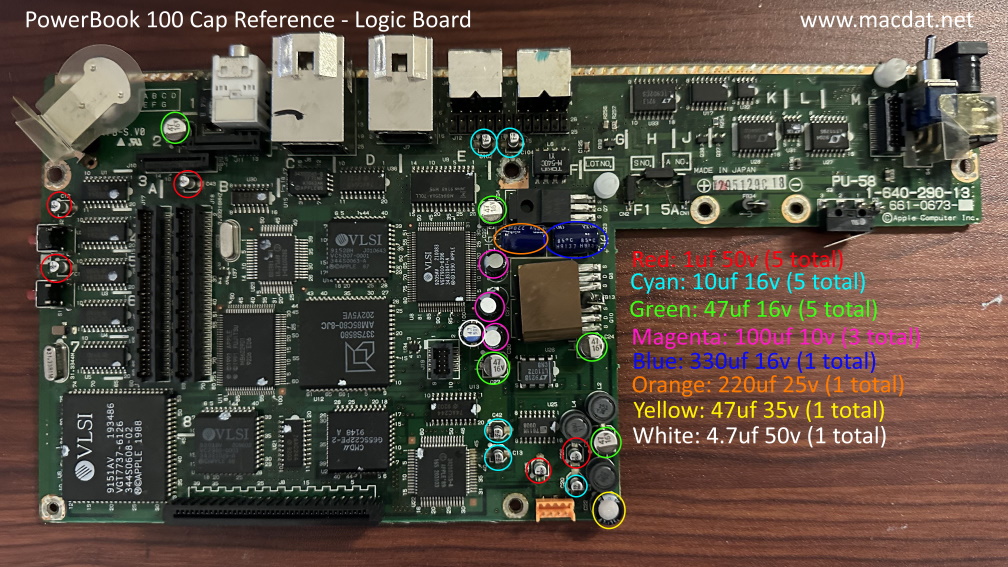
Logic Board
| Value | Count | Type |
|---|---|---|
| 330uf 16v | 1 | Radial Electrolytic |
| 220uf 25v | 1 | Radial Electrolytic |
| 100uf 10v | 3 | Radial Electrolytic |
| 47uf 35v | 1 | Radial Electrolytic |
| 47uf 16v | 5 | Surface-Mount Electrolytic |
| 10uf 16v | 5 | Surface-Mount Electrolytic |
| 4.7uf 50v | 1 | Surface-Mount Electrolytic |
| 1uf 50v | 5 | Surface-Mount Electrolytic |
Reference Image
Click image below to view the full-resolution version.
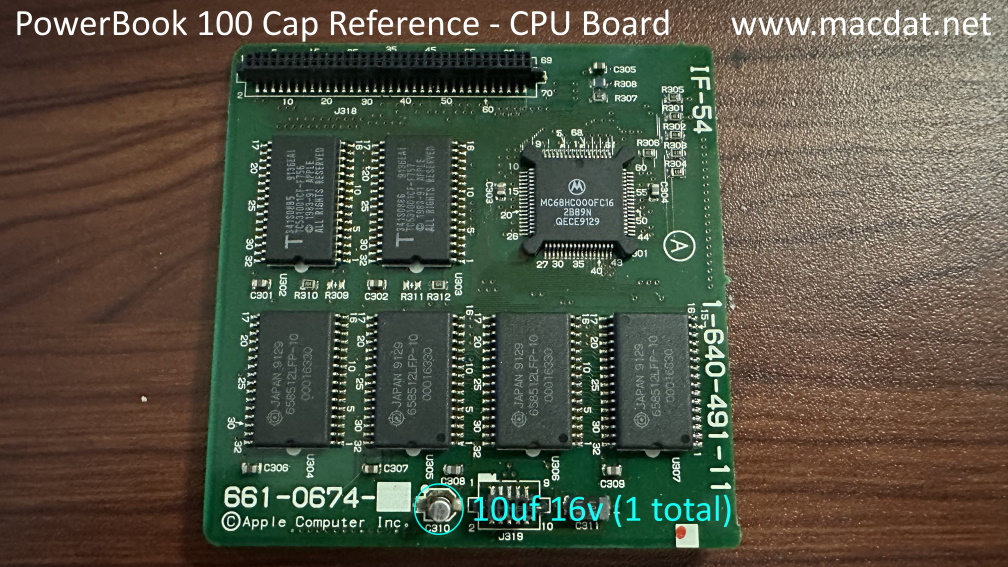
CPU Daughtercard
| Value | Count | Type |
|---|---|---|
| 10uf 16v | 1 | Surface-Mount Electrolytic |
Reference Image
Click image below to view the full-resolution version.
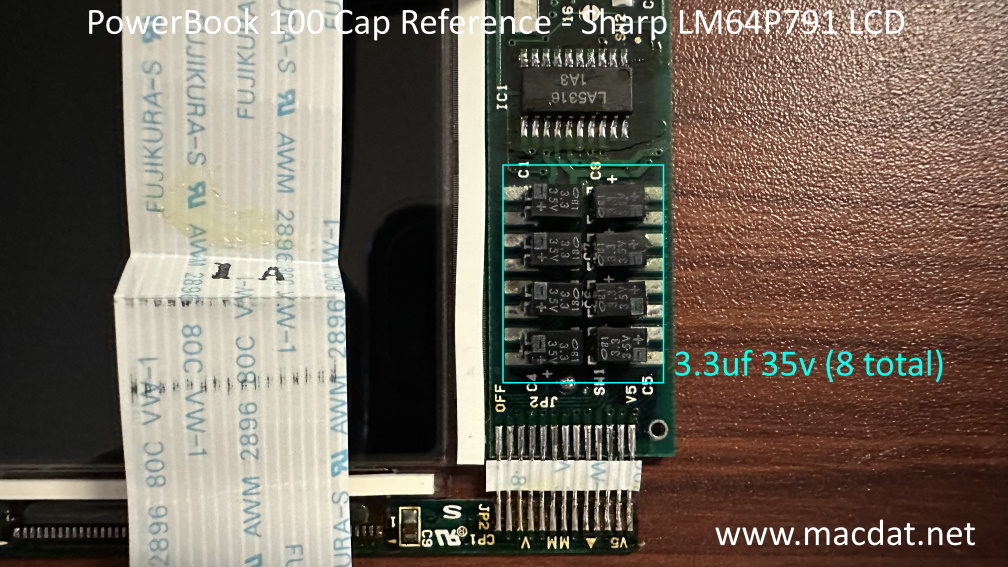
LCD (Sharp LM64P791)
Many people end up replacing the display caps with ceramic capacitors. These may work, but have been shown to result in drifting contrast on certain LCD displays. This is caused by ceramic capacitors' characteristic where the capacitance varies based on voltage load. As such, I would recommend replacing them with tantalum caps instead.
| Value | Count | Type |
|---|---|---|
| 3.3uf 35v | 8 | Low Profile Surface-Mount Electrolytic |
Reference Image
Click image below to view the full-resolution version.
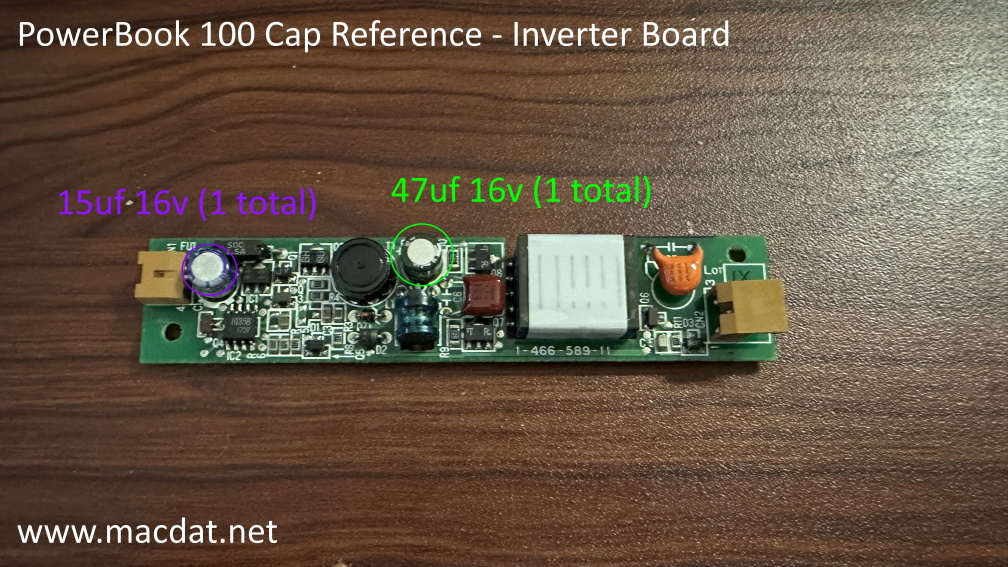
Backlight Inverter Board
| Value | Count | Type |
|---|---|---|
| 47uf 16v | 1 | Radial Electrolytic |
| 15uf 16v | 1 | Radial Polymer |
Reference Image
Click image below to view the full-resolution version.
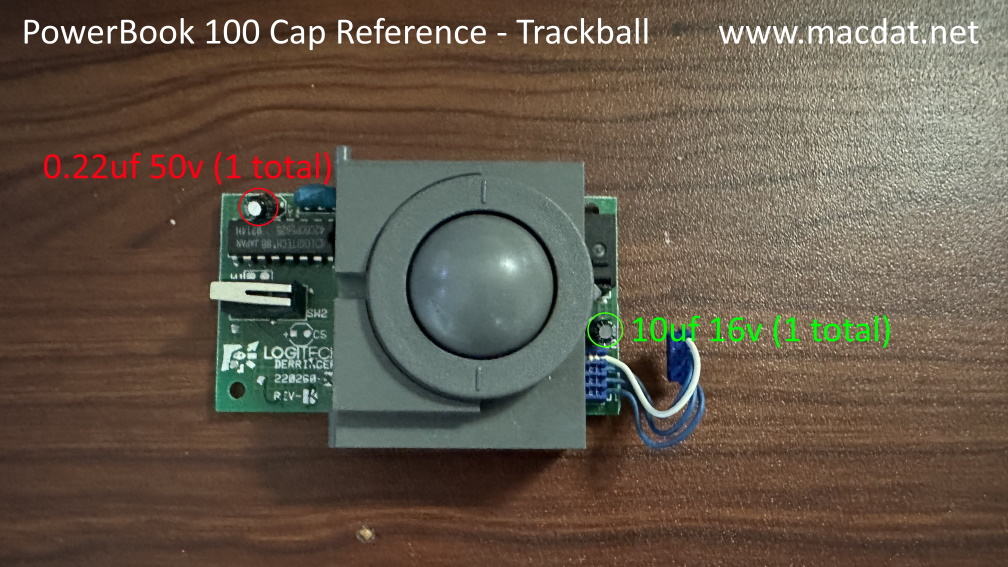
Trackball
| Value | Count | Type |
|---|---|---|
| 10uf 16v | 1 | Radial Electrolytic |
| 0.22uf 50v | 1 | Radial Electrolytic |
Reference Image
Click image below to view the full-resolution version.